Showroom in Sydney open Monday to Friday Call Us On: 1300 798 658
Ergonomic Essentials
0
  • Chairs
    • Chairs By Brands
      • Ergo Advantage
      • K2
      • Posture Balance
      • Dal
      • Humanscale
      • Chair Solutions
      • HÅG
      • Buro
    • Office
    • Executive
    • Heavy Duty
    • Sit Stand Chair
    • Mesh
    • Drafting
    • Visitors
    • Active
    • Great Value Boxed Express Chairs
    • For Small Users
    • For Tall Users
    • Castors & Wheels
  • Height Adjustable Desks
    • Conset
    • Vertilift
    • Buro Desks
  • Workstations
    • Ergotron
    • Vertilift
    • Maxishift
    • Humanscale
    • Arise
  • Mouse
    • Mouse By Brands
      • Evoluent
      • Contour Roller
      • Ez Minicute
      • Penguin
      • Kensington
      • Logitech
    • Vertical
      • Right
      • Left
    • Roller Bar
    • Adjustable
    • Wireless
    • Trackball
    • Mac
    • Ambidextrous
  • Keyboard
    • Keyboards By Brands
      • Ergoapt
      • Evoluent
      • Bakker Elkhuizen
      • Kinesis
      • Zergotech
      • Goldtouch
      • Kensington
    • Compact
    • Wireless
    • Bluetooth
    • Split
    • Contoured
    • Numeric
    • Trays
    • Mac Keyboards
  • Monitor
    • Stands
    • Arms
      • Dual
      • Single
  • Laptop
    • Stands
    • Charging Carts
  • Footrests
  • Support
    • Forearm
    • Lumbar
    • Back
    • Wrist
    • Leg Rests
    • Seat Cushions
  • Accessories
    • Writing Slopes
    • Document Holders
    • Mats
      • Anti Fatigue
      • Chair
    • Mobile Pedestals
    • Mouse Pads
    • Tablet Stands
    • Power Boards
    • Cable Protectors
    • Ex-Showroom Stock
  • Working From Home
    • Great Value Boxed Express Chairs
  • Sale
Ergonomic Essentials
0
  • Chairs
    • Chairs By Brands
      • Ergo Advantage
      • K2
      • Posture Balance
      • Dal
      • Humanscale
      • Chair Solutions
      • HÅG
      • Buro
    • Office
    • Executive
    • Heavy Duty
    • Sit Stand Chair
    • Mesh
    • Drafting
    • Visitors
    • Active
    • Great Value Boxed Express Chairs
    • For Small Users
    • For Tall Users
    • Castors & Wheels
  • Height Adjustable Desks
    • Conset
    • Vertilift
    • Buro Desks
  • Workstations
    • Ergotron
    • Vertilift
    • Maxishift
    • Humanscale
    • Arise
  • Mouse
    • Mouse By Brands
      • Evoluent
      • Contour Roller
      • Ez Minicute
      • Penguin
      • Kensington
      • Logitech
    • Vertical
      • Right
      • Left
    • Roller Bar
    • Adjustable
    • Wireless
    • Trackball
    • Mac
    • Ambidextrous
  • Keyboard
    • Keyboards By Brands
      • Ergoapt
      • Evoluent
      • Bakker Elkhuizen
      • Kinesis
      • Zergotech
      • Goldtouch
      • Kensington
    • Compact
    • Wireless
    • Bluetooth
    • Split
    • Contoured
    • Numeric
    • Trays
    • Mac Keyboards
  • Monitor
    • Stands
    • Arms
      • Dual
      • Single
  • Laptop
    • Stands
    • Charging Carts
  • Footrests
  • Support
    • Forearm
    • Lumbar
    • Back
    • Wrist
    • Leg Rests
    • Seat Cushions
  • Accessories
    • Writing Slopes
    • Document Holders
    • Mats
      • Anti Fatigue
      • Chair
    • Mobile Pedestals
    • Mouse Pads
    • Tablet Stands
    • Power Boards
    • Cable Protectors
    • Ex-Showroom Stock
  • Working From Home
    • Great Value Boxed Express Chairs
  • Sale
  • Home
  • Ergonomic Essentials Blog
  • What is Office Ergonomics?

What is Office Ergonomics?

1 October 2026 

Spending long hours at your desk does not have to result in daily physical pain. If you finish your workday with a dull ache in your lower back or tight shoulders, adjusting your workspace offers a simple, effective way to protect your body. By making a few targeted changes to your desk setup today, you can eliminate physical discomfort, boost daily energy, and safeguard your long-term health.

Jump to a Section:

  • Understanding Ergonomics in the Office
  • The Impact of Poor Desk Habits
  • How to Set Up an Ergonomic Workstation
  • Building Your Ergonomic Workstation
  • Tired of Desk Pain? Take Control of Your Office Ergonomics

Understanding Ergonomics in the Office

Office ergonomics is the practice of designing and arranging your workspace to fit your physical body. Rather than forcing your neck, back, and arms to adapt to awkward furniture, proper ergonomics aligns your equipment to support your body's natural posture and movement.
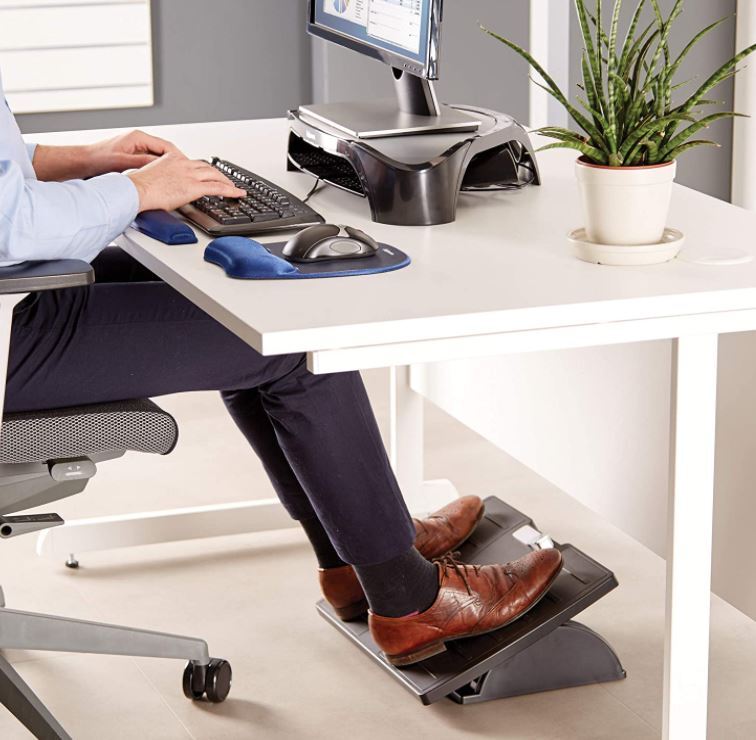
Ergonomic workstation setup guide showing correct posture, monitor height, and chair alignment

When you set up your desk correctly, you drastically reduce physical strain on your muscles, nerves, and tendons. This creates a supportive, comfortable environment that lets you focus on your work without pain or distraction.

The Impact of Poor Desk Habits

Physical strain from poor desk habits is one of the leading causes of workplace injury today, frequently resulting in chronic Musculoskeletal Disorders (MSDs) and Repetitive Strain Injuries (RSIs).

Did You Know?

  • According to Safe Work Australia data, "body stressing"—injuries caused by lifting, repetitive movements, and awkward sitting postures—is the single largest cause of workplace injury, accounting for 34.5% of all serious workers' compensation claims nationally [1].
  • Data from SafeWork NSW highlights that Musculoskeletal Disorders (MSDs) make up 52% of all serious claims in the state, costing businesses an average of $64,759 per serious claim and causing an average of 20 weeks of lost work time [2].
  • Implementing well-designed ergonomic interventions eliminates physical fatigue, reduces workplace distractions, and significantly improves overall daily efficiency [3].

These injuries rarely happen overnight. Instead, they accumulate over months of slouching, reaching for a distant mouse, or sitting in an unsupportive chair. Fine-tuning your desk setup provides immediate physical relief and long-term protection by preventing disc compression, reducing mental fatigue, and maintaining healthy joint circulation over time.

How to Set Up an Ergonomic Workstation

Setting up a comfortable workstation begins with achieving a neutral posture, a position where your joints are naturally aligned, minimising stress on your muscles and tendons. When sitting in a neutral position, your skeletal frame carries your weight rather than forcing your muscles to work continuously.
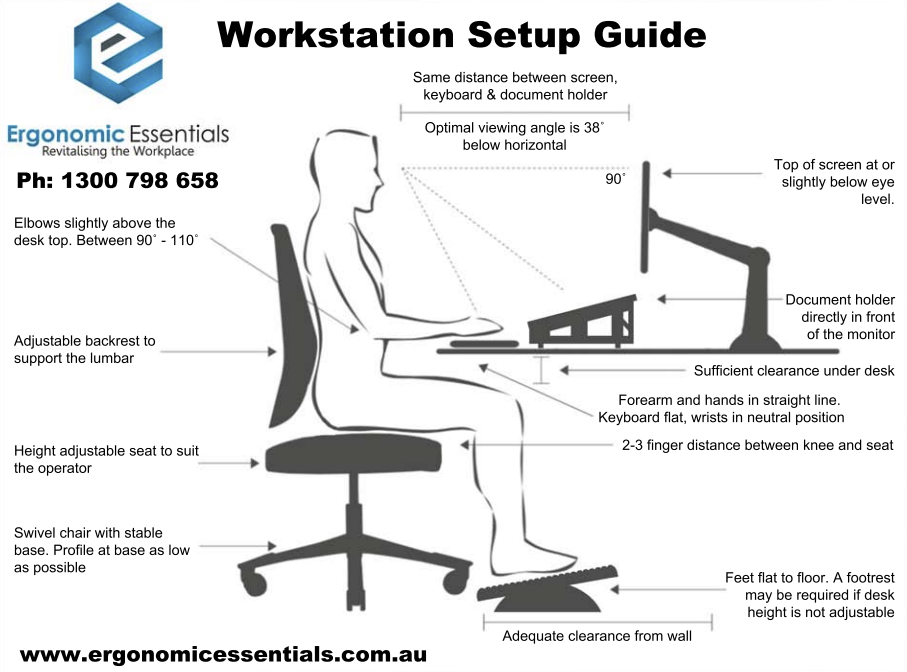
Ergonomic workstation setup guide showing correct posture, monitor height, and chair alignment
  • Spine & Lumbar: Maintain your back's natural "S" curve firmly against the lumbar support to prevent slouching forward, which flattens the lower back and strains your discs.
  • Head & Neck: Keep your head centered directly over your shoulders to avoid craning your neck forward toward the screen.
  • Arms & Wrists: Position your elbows at a 90°–110° angle with forearms roughly parallel to the floor, keeping wrists neutral and avoiding resting on sharp desk edges.
  • Legs & Feet: Adjust your chair so your hips are at or slightly above knee level, and your feet rest flat on the floor (or on a footrest) to preserve hamstring circulation.

Building Your Ergonomic Workstation

Creating a healthy workspace requires choosing and adjusting tools that match your body's natural proportions.

Chairs

Your chair forms the foundation of your workstation. Invest in an adjustable office chair with targeted lumbar support that actively accommodates your spine. Set your seat height so your feet rest flat on the floor, leaving a two-finger gap between the seat cushion and the back of your knees. Set the backrest to a slight recline (100°–110°) to minimise compressive pressure on your lower back. Browse our full range of ergonomic office chairs.
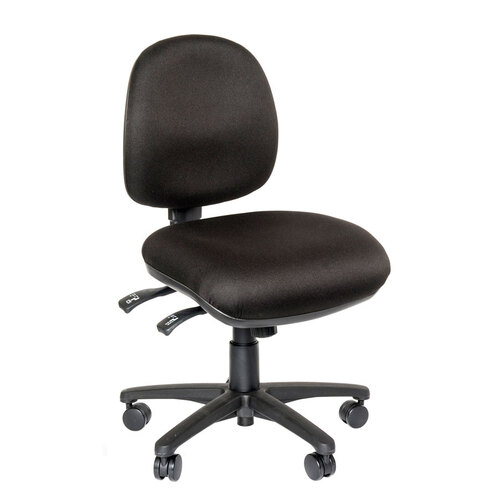
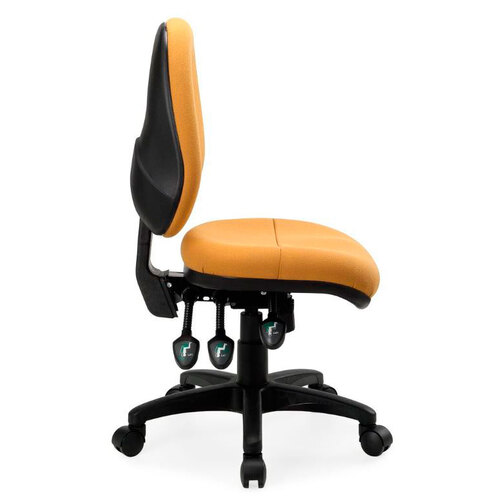
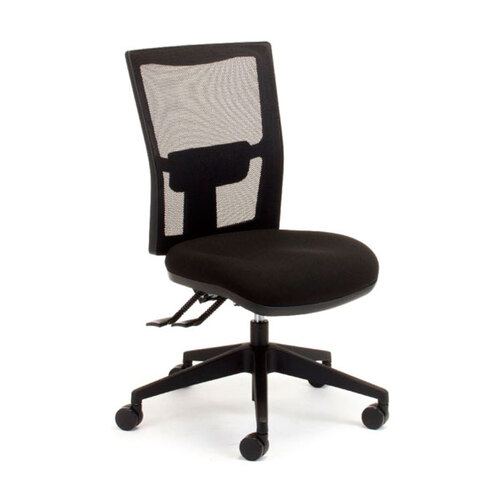
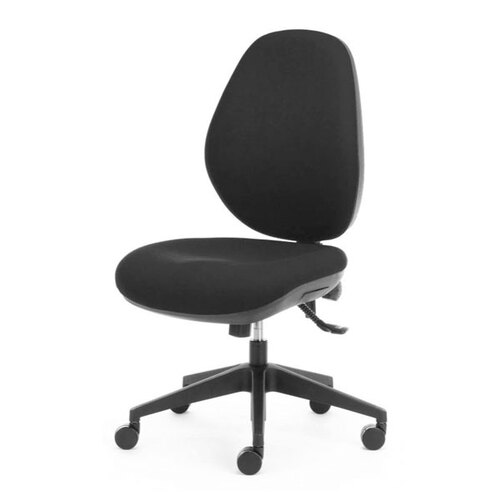
Ergo Advantage Ergonomic Office Chair Ergo Duo Ergonomic Office Chair Ergo Advantage Air Mesh Back Chair Ergo Advantage Atlas Office Chair


Height-Adjustable Desks

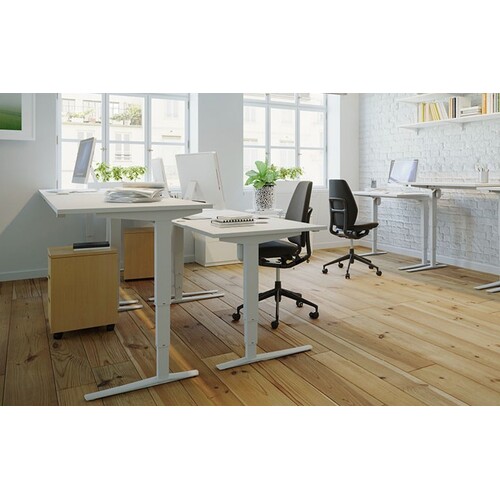
Alternating between sitting and standing throughout the workday encourages blood flow, relieves spinal fatigue, and boosts alertness. Aim to switch positions every 30 to 45 minutes to break up continuous static posture. When standing, raise your desk surface until your forearms rest parallel to the floor with your shoulders completely relaxed. Browse our full range of height-adjustable desks.
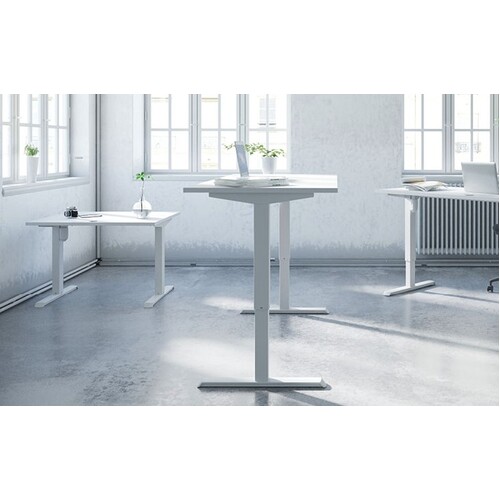
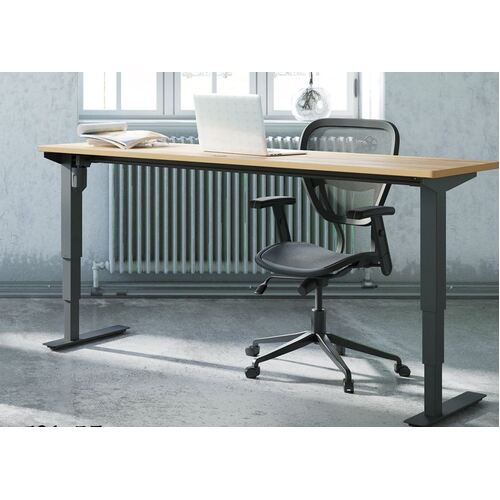
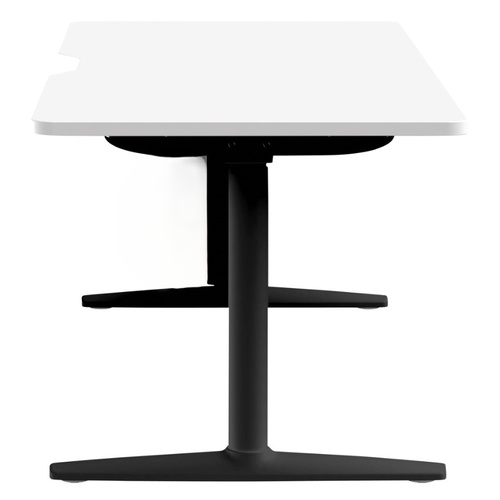
Merit Height Adjustable Electric Desk APT Ergonomic Desk BSD Sit Stand Desk Talent Rectangular Height Adjustable Desk

Workstations & Display Placement

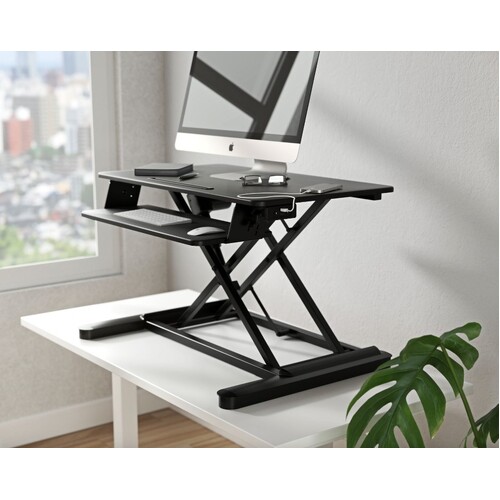
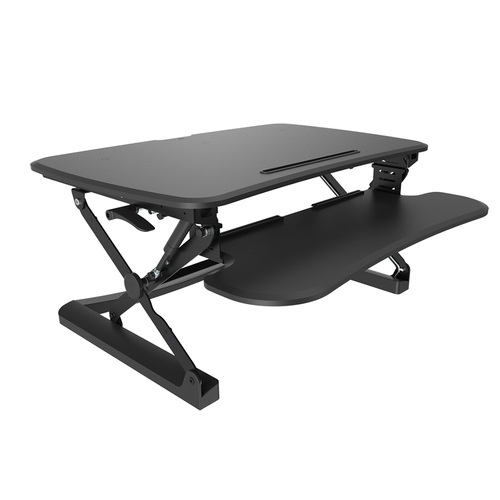
Your total setup integrates screen placement, laptop stands, reach zones, and accessories into one unified system. Mount your display directly behind your keyboard at roughly arm's length (50–100 cm). Align the top line of text at or slightly below eye level so your gaze falls naturally on the screen without tilting your head. If using a laptop, pair it with a dedicated riser, external keyboard, and mouse to match proper desktop alignment. Browse our full range of sit-stand workstations, our Laptop Stands and our Monitor Arms.
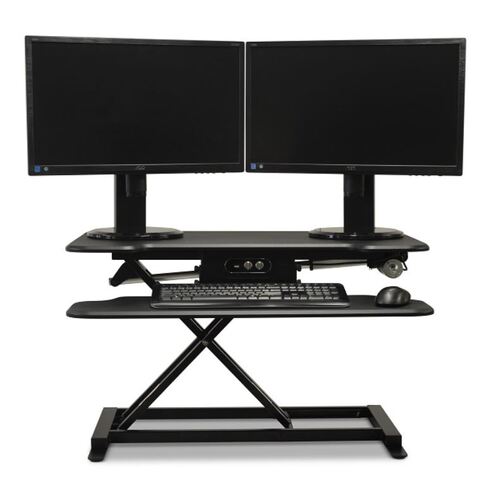
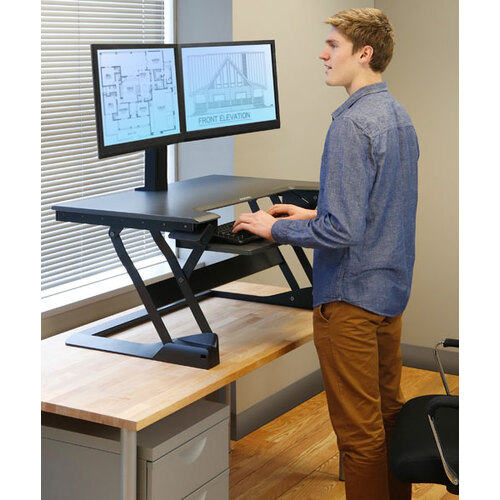
VPRO Sit Stand Desk Converter Ergotron WorkFit-TL Desktop Converter Black Maxishift-E Electric Sit Stand Workstation Arise Sit Stand Workstation

Mouse

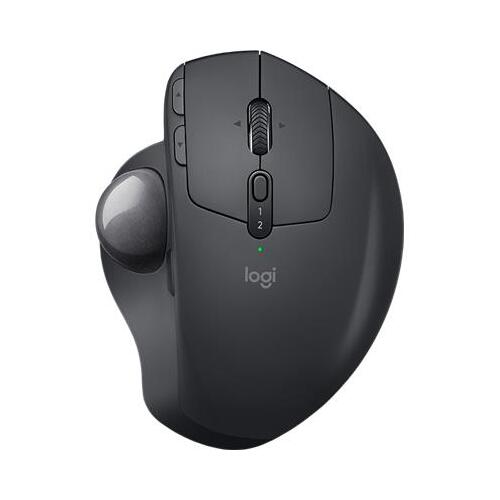
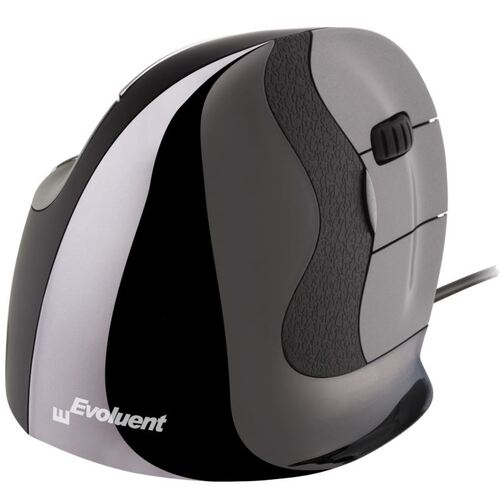
Standard flat mice force your forearm to twist inward (pronation) and tilt upward, causing wrist strain and forearm muscle fatigue over time. Switching to an ergonomic vertical mouse allows your hand to rest in a natural "handshake" position, eliminating forearm pronation and reducing muscle strain across the wrist and forearm. Position your mouse immediately beside your keyboard at the same height so you can operate it without reaching. Browse our full range of ergonomic mice.
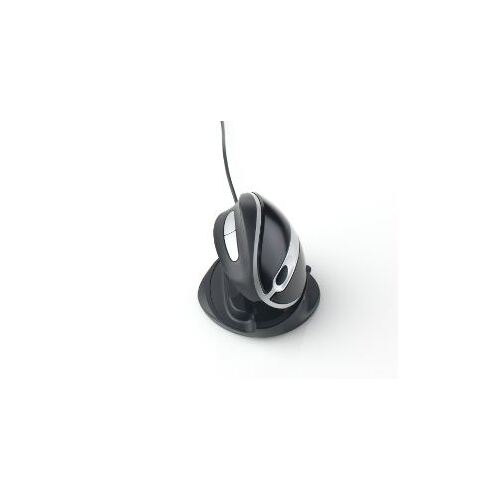
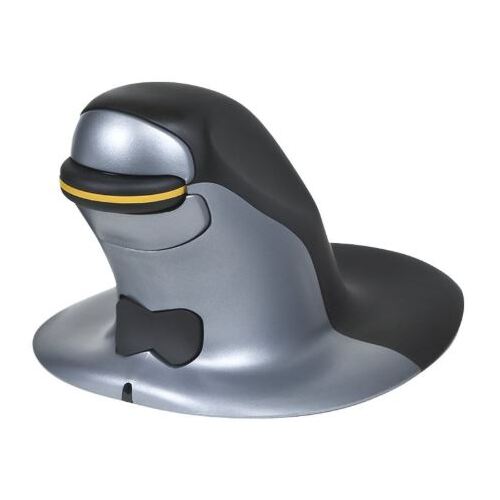
Ergonomic Vertical Mouse Penguin Vertical Ergonomic Mouse Logitech MX Ergo Wireless Trackball Mouse Evoluent Vertical Mouse D Series

Unsure which style fits your working habits? Read our guide on choosing an ergonomic mouse.

Keyboards

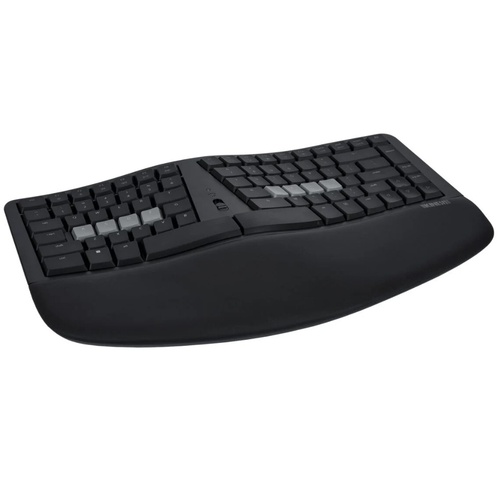
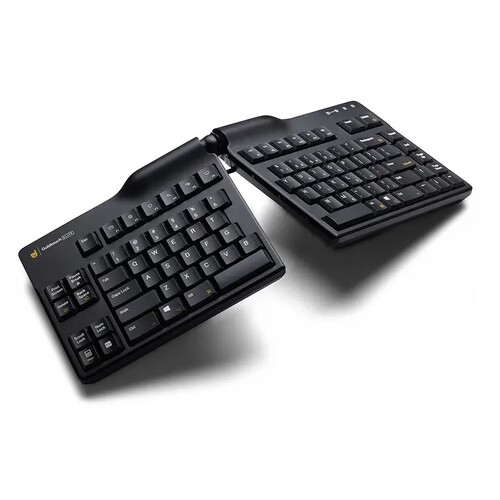
Conventional keyboards often force wrists to flex awkwardly outward while typing. Choose an ergonomic split or contoured keyboard to keep your wrists straight and forearms relaxed. Keep your keyboard flat or slightly tilted away from your body (negative tilt) to maintain neutral wrist angles, and use a soft palm support to rest your hands during typing breaks. Browse our full range of ergonomic keyboards.
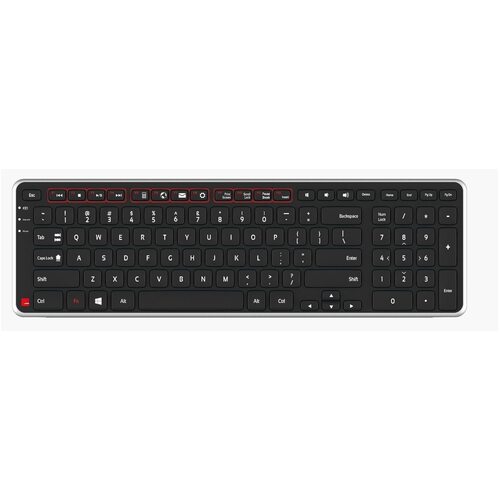
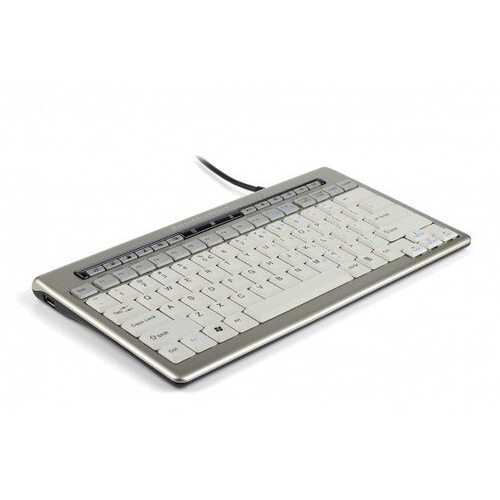
Ergonomic Compact Keyboard S-Board 840 Compact Ergonomic Keyboard KB150 Ergonomic Keyboard Contour Balance Ergonomic Keyboard

Tired of Desk Pain? Take Control of Your Office Ergonomics

Improving your workspace does not require an overnight overhaul. Small, deliberate adjustments to your chair, desk, mouse, and keyboard add up quickly to eliminate daily aches and protect your long-term health. Listen to your body, make tweaks as needed, and keep moving throughout your day.

Ergonomic Essentials brings over 40 years of expertise to Australian workplaces as an approved NSW State Government supplier and trusted partner to Occupational Therapists nationwide.

When we founded Ergonomic Essentials, our mission was simple: help people work without pain. Decades later, we remain family-run and hands-on every day. We don't guess or sell generic office supplies—we test every product to ensure it genuinely supports your body and offer free, honest advice to fit your body shape and budget.

— Marty & Leigh, Ergonomic Essentials Product & Leadership Team

Feel free to drop into our Macquarie Park showroom at Unit 1, 1 Talavera Rd, North Ryde NSW for a personalised, in-person posture and fitting assessment while testing our chairs, sit-stand desks, and accessories. Need expert guidance over the phone? Give us a call on 1300 798 658 or order online, we dispatch daily straight to your door.


References

  1. Safe Work Australia. (2025). Key Work Health and Safety Statistics Australia 2025. Commonwealth of Australia. https://data.safeworkaustralia.gov.au/insights/key-whs-statistics-australia/latest-release
  2. SafeWork NSW. (2024). Musculoskeletal Disorders Prevention Plan to 2026. NSW Government & State Insurance Regulatory Authority (SIRA). https://www.safework.nsw.gov.au/resource-library/musculoskeletal-disorders/musculoskeletal-disorders-prevention-plan-to-2026
  3. SafeWork NSW. (2024). Prevent Musculoskeletal Disorders at Work: Good Work Design & Ergonomic Interventions. NSW Government. https://www.safework.nsw.gov.au/resource-library/musculoskeletal-disorders/prevent-musculoskeletal-disorders-at-work
24hrs

Fast Delivery – Dispatch Twice Daily

100%

Extensive experience and Free Advice *Get results or send it back!

40000

Trusted by Government, Multinationals & Over 40,000 Customers Australia Wide.

Service
Service
  • My Account
  • Track Order
  • Resolution Centre
  • Terms of Use
  • Returns Policy
  • Privacy Policy
About Us
About Us
  • About Us
  • Our Blog
  • Contact Us
Resources
Resources
  • FAQs
  • Ergonomic Information
  • Sit Stand Electric Desk Chart
  • Sit Stand Comparison Chart
  • Chair Assessment Tool
  • OT Partners
Stay In Touch
Copyright © 2026 Ergonomic Essentials
ABN: 67 643 168 870
  • American Express
  • MasterCard
  • Visa
Terms & Conditions

Welcome to our website. If you continue to browse and use this website, you are agreeing to comply with and be bound by the following terms and conditions of use, which together with our privacy policy govern Ergonomic Essentials’s relationship with you in relation to this website. If you disagree with any part of these terms and conditions, please do not use our website.

The term ‘Ergonomic Essentials’ or ‘us’ or ‘we’ refers to the owner of the website whose registered office is 1/1 Talavera Road, Macquarie Park, NSW 2113. Our ABN is 67 643 168 870. The term ‘you’ refers to the user or viewer of our website.

The use of this website is subject to the following terms of use:

  • The content of the pages of this website is for your general information and use only. It is subject to change without notice.
  • Neither we nor any third parties provide any warranty or guarantee as to the accuracy, timeliness, performance, completeness or suitability of the information and materials found or offered on this website for any particular purpose. You acknowledge that such information and materials may contain inaccuracies or errors and we expressly exclude liability for any such inaccuracies or errors to the fullest extent permitted by law.
  • Your use of any information or materials on this website is entirely at your own risk, for which we shall not be liable. It shall be your own responsibility to ensure that any products, services or information available through this website meet your specific requirements.
  • This website contains material which is owned by or licensed to us. This material includes, but is not limited to, the design, layout, look, appearance and graphics. Reproduction is prohibited other than in accordance with the copyright notice, which forms part of these terms and conditions.
  • All trademarks reproduced in this website, which are not the property of, or licensed to the operator, are acknowledged on the website.
  • Unauthorised use of this website may give rise to a claim for damages and/or be a criminal offence.
  • From time to time, this website may also include links to other websites. These links are provided for your convenience to provide further information. They do not signify that we endorse the website(s). We have no responsibility for the content of the linked website(s).
  • Your use of this website and any dispute arising out of such use of the website is subject to the laws of Australia.
Privacy Policy

Privacy Policy
About Ergonomic Essentials (PPS Ergo)
Ergonomic Essentials is an online retailer that markets products to improve your comfort and productivty in the office. To enrich our members’ experience, we request and display some personal information. We never store Credit Card information, although it will be requested by NAB, our processing bank, to complete the transaction. Ergonomic Essentials members can change their profile information at any time and can control how we use and see their information.

Ergonomic Essentials never publishes contact information, location or preferences.

Ergonomic Essentials cares deeply about online privacy If you have any questions concerning this privacy policy, please email us at webmaster@ergonomicessentials.com.au

Information Collection and Used by Ergonomic Essentials
Ergonomic Essentials collects user submitted information such as name, email address, and location to authenticate users and to send notifications to those users relating to the Ergonomic Essentials service. Ergonomic Essentials also collects other profile data including but not limited to: personal interests, gender, age and occupation in order to assist users in finding and communicating with each other.

Ergonomic Essentials also logs non-personally-identifiable information including IP address, profile information, aggregate user data, and browser type, from users and visitors to the site. This data is used to manage the website, track usage and improve the website services. This non-personally-identifiable information may be shared with third-parties to provide more relevant services and advertisements to members. User IP addresses are recorded for security and monitoring purposes

We may also use a user’s email address to send updates, a newsletter or news regarding the service. Users may choose not to receive email of this type by changing their “notification” setting to “Do not send me notification emails” in the user “Account Settings”

From time to time, Ergonomic Essentials or a partner, may sponsor a promotion, sweepstake or contest on Ergonomic Essentials. Users may be asked to provide personal information including name, email address or home address or to answer questions in order to participate.

Use of Cookies
Ergonomic Essentials uses cookies to store visitors’ preferences and to record session information, for purposes including ensuring that visitors are not repeatedly offered the same advertisements and to customise newsletter, advertising, and Web page content based on browser type and user profile information. We do not link the information we store in cookies to any personally identifiable information you submit while on our site.

You may be able to configure your browser to accept or reject all or some cookies, or notify you when a cookie is set — each browser is different, so check the “Help” menu of your browser to learn how to change your cookie preferences — however, you must enable cookies from Ergonomic Essentials in order to use most functions on the site Please note that Ergonomic Essentials allows 3rd party advertisers that are presenting advertisements on some of our pages to set and access their cookies on your computer. Advertisers’ use of cookies is subject to their own privacy policies, not the Ergonomic Essentials Privacy Policy.

Links
Ergonomic Essentials contains links to sites. Ergonomic Essentials is not responsible for the privacy policies and/or practices on other sites. When linking to another site a user should read the privacy policy stated on that site. Our privacy policy only governs information collected on Ergonomic Essentials.

Correcting/Updating or Removing Information
Ergonomic Essentials users may modify or remove any of their personal information at any time by logging into their account and accessing features such as Edit Profile and Account Info.

Email Choice/Opt-out
Members who no longer wish to receive updates or notifications may choose not to by selecting ‘Do not send me notification emails’ in the user profile ‘Account Settings’. Users who do not wish to receive Ergonomic Essentials newsletters may choose not to by selecting ‘Do not send me Ergonomic Essentials newsletters’ in the user profile ‘Account Settings’. All notification emails and Ergonomic Essentials newsletters also include the above instructions for opting-out of those communications in the future.

Security

Ergonomic Essentials member accounts are secured by member-created passwords. Ergonomic Essentials takes precautions to insure that member account information is kept private. We use reasonable measures to protect member information that is stored within our database, and we restrict access to member information to those employees who need access to perform their job functions, such as our customer service personnel and technical staff. Please note that we cannot guarantee the security of member account information. Unauthorized entry or use, hardware or software failure, and other factors may compromise the security of member information at any time For any additional information about the security measures we use on Ergonomic Essentials, please contact us at webmaster@ergonomicessentials.com.au

Sharing and Disclosure of Information Ergonomic Essentials Collects 
Except as otherwise described in this privacy statement, Ergonomic Essentials will not disclose personal information to any third party unless we believe that disclosure is necessary: (1) to conform to legal requirements or to respond to a subpoena, search warrant or other legal process received by Ergonomic Essentials, whether or not a response is required by applicable law; (2) to enforce the Ergonomic Essentials Terms of Use Agreement or to protect our rights; or (3) to protect the safety of members of the public and users of the service. Ergonomic Essentials reserves the right to transfer personal information to a successor in interest that acquires rights to that information as a result of the sale of Ergonomic Essentials or substantially all of its assets to that successor in interest For more information see the “Changes in Our Privacy Policy” section below.

Changes in Our Privacy Policy 
From time to time we may make changes to our privacy policy If we make changes, we will post them on our site to make users aware of what the changes are so users will always be aware of what information we collect, how we use it, and when we may disclose it. A User is bound by any minor changes to the policy when she or he uses the site after those changes have been posted If, however, we are going to use users’ personally identifiable information in a manner materially different from that stated at the time of collection we will notify by posting a notice on our Web site for 30 days.

Contacting the Web Site 
If you have any questions about this privacy statement, the practices of this site, or your dealings with this Web site, please contact us at: webmaster@ergonomicessentials.com.au


sales@ergonomicessentials.com.au

Phone 1300 798 658
Unit 1, 1 Talavera Rd,
North Ryde NSW 2113
PO Box 358 North Ryde NSW 1670